Change Mac Machine Name via Terminal
I needed to change the name of one of my Macs remotely and this is the command to do it: sudo scutil --set HostName [NewHostNameHere]
I have recently been setting up an old Mac Mini as Webserver and NAS server. One of the things I wanted to do was enable ssh key pair login and wondered how one used ssh-copy-id on a Windows machine to get the public key from a local machine to the server. It turns out you can’t but the cat command can do it just fine. Here is the template: type C:\Users\<user>\.ssh\id_rsa.pub | ssh <user>@<remoteserver> 'cat >> .ssh/authorized_keys' This assumes your public key is in the default location, your home directory under the .ssh directory, if not modify the first part of the command to reflect its location ...
This is the basic structure of a Pie Menu in Blender using Python import bpy from bpy.types import Menu, Operator bl_info = { "name": "", "author": "", "version": (0, 0, 0, 1), "description": "", "blender": (2, 80, 0), "category": "3D view" } class VIEW3D_MT_PIE_template(Menu): # label is displayed at the center of the pie menu. bl_label = "Operations" bl_idname="mesh.mypie" def draw(self, context): layout = self.layout pie = layout.menu_pie() pie.operator("auto.smooth") def register(): bpy.utils.register_class(VIEW3D_MT_PIE_template) bpy.utils.register_class(AutoSmooth) def unregister(): bpy.utils.unregister_class(VIEW3D_MT_PIE_template) bpy.utils.unregister_class(AutoSmooth) if __name__ == "__main__": register() bpy.ops.wm.call_menu_pie(name="VIEW3D_MT_PIE_template") class AutoSmooth(Operator): bl_idname = "auto.smooth" bl_label = "AutoSmooth" def execute(self, context): bpy.ops.object.shade_smooth() bpy.context.object.data.use_auto_smooth = True return {'FINISHED'}
Apple in its infinite wisdom changed the settings for Samba ‘SMB’ protocol and killed access to my NAS server, thanks Apple not like I wasn’t using it all the time. I found a fix online, don’t trust me check if there are any risks in this fix: Create or edit this following file and add the 2 lines to the file. ~/Library/Preferences/nsmb.conf [default] protocol_vers_map=2
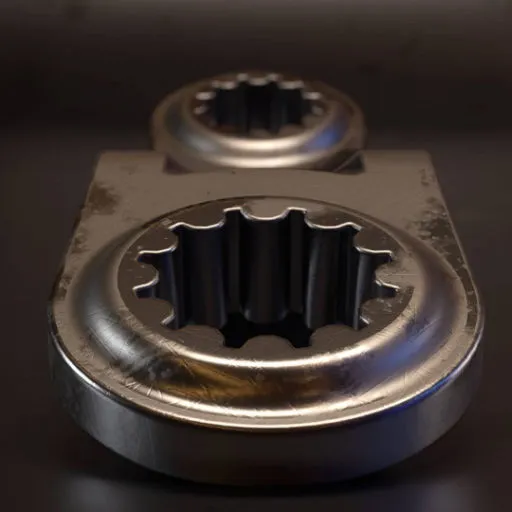
Over the last few weeks I have been busy in Blender using the Decalmachine add-on to create some decal textures from Blender. You can find all my assets over at Gumroad. For more information on the assets for Blender and Modo just visit the link above.